 Broomy
Your command center for
AI coding agents
Lead a team of agents and see when each needs help. Let an AI help you review code. Fully open source and extensible.
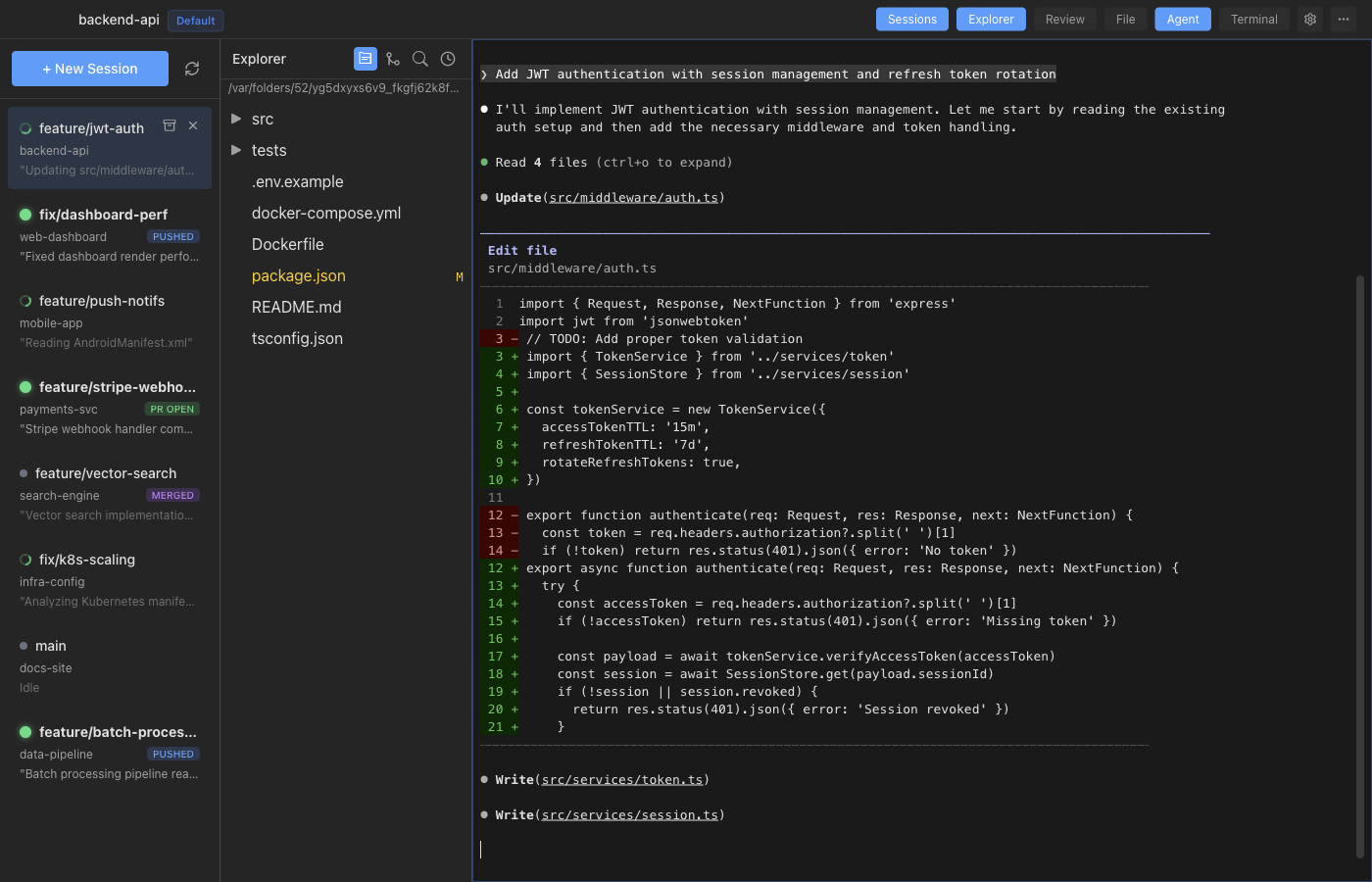
If you use AI coding agents, you know the pain. Terminal tabs everywhere. Which agent finished? Which one needs input? What branch is it on? What files did it change?
Broomy gives you a single window to manage all of it — and since it's open source, you can extend it to fit exactly how you work.
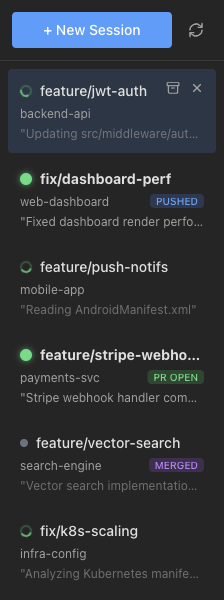
Run many agents at once
Run Claude Code on your backend, Aider on your frontend, and keep a terminal open for your docs — all in one window. Broomy watches each agent and shows you who's working, who's idle, and who just finished and needs your attention. When an agent completes a task, you get a notification so nothing slips through.
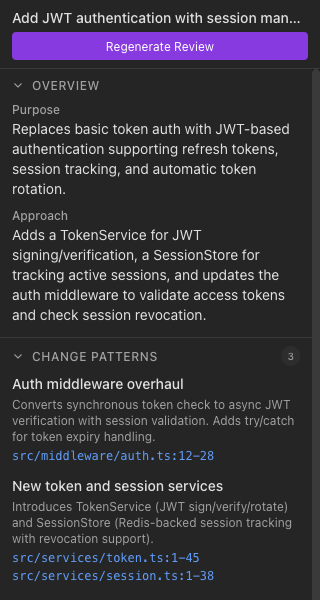
AI-guided code review
AI agents write code fast — but someone still needs to review it. Broomy uses AI to help you understand what changed and why, highlights potential issues, and lets you click through to diffs. It's not about rubber-stamping AI output — it's about keeping you in the loop so the codebase stays healthy even as agents move fast.
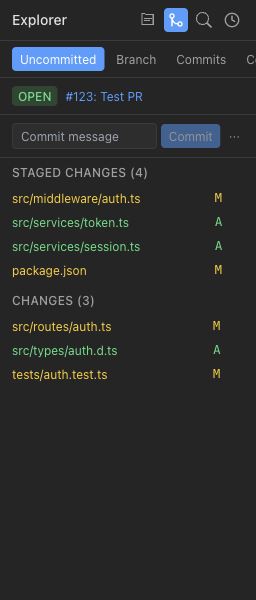
A real IDE, not just a chat window
Edit files, browse your repo, check git status, stage changes, and commit — without switching windows. You're not forced to hand everything to the AI. When you need to step in and fix something yourself, the tools are right there.
Works with every agent
Broomy doesn't lock you into one AI provider. It works with any terminal-based coding agent, and adding support for new ones is trivial.
Built to be extended
Broomy is a native desktop app built on well-understood technology. The codebase is designed to be readable, hackable, and easy to contribute to.
Actually open source
MIT licensed. No telemetry. No paid tier. No “open core” bait-and-switch. Every line of code is on GitHub — read it, fork it, change it, ship your own version.
Fork & modify
Don't like something? Change it. Add your own panels, agents, or workflows.
Contribute back
Open an issue, send a PR, or start a discussion. The project grows from community input.
Runs locally
No cloud. No accounts. Your code and sessions stay on your machine.
github.com/broomy-ai/broomy
Get started
Clone and run in four commands:
$ git clone https://github.com/broomy-ai/broomy.git$ cd broomy$ pnpm install$ pnpm dev
Requires pnpm and Node.js. See the README for full setup instructions.
Or download a pre-built release:
Download for MacMac only (Windows, Linux coming soon)